Receive notifications for calls, emails, and LINE messages by syncing with your smartphone | KINGJIM
KING JIM
Display Smartphone Push Notifications on a Pen's Mini-Screen
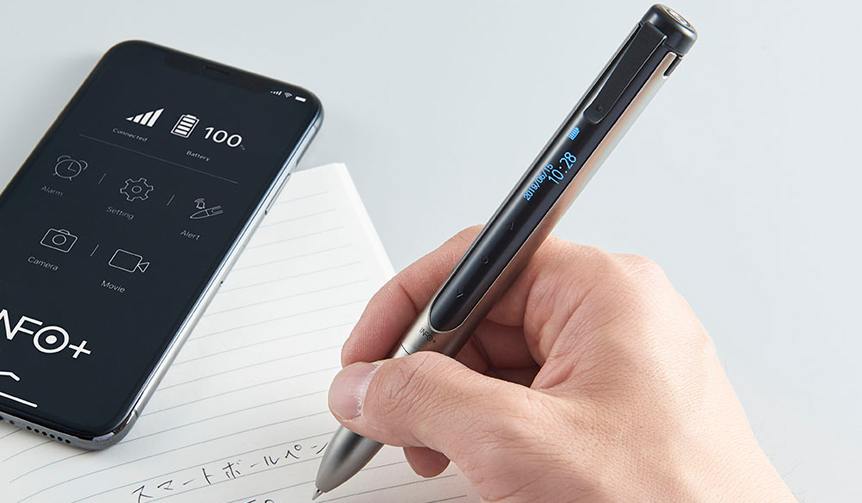
The "Info INF10" smart ballpoint pen syncs with your smartphone to notify you of incoming calls, emails, and LINE messages via vibration and a small LCD screen.
It connects to your smartphone via Bluetooth, displaying push notifications received by the phone—such as caller ID for calls, or email and LINE content—on the pen's display and alerting you with a vibration. It automatically saves up to 40 notifications, so you can review past alerts you may have missed.
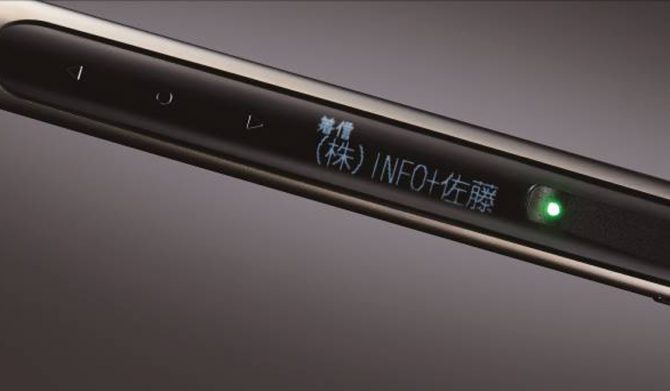
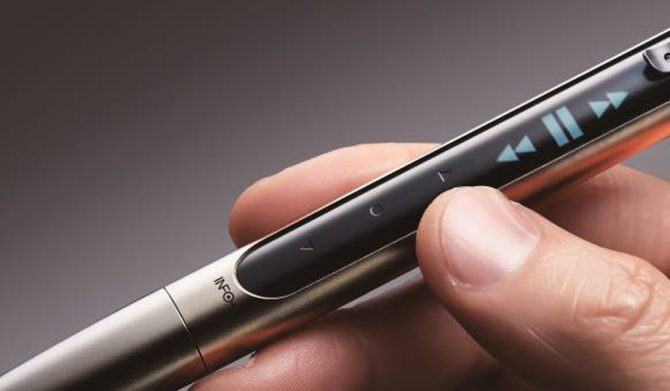
You can change the LED color to correspond with different notification types like emails, calls, or app alerts, making them easily distinguishable. Furthermore, a touch button allows for smartphone operations such as changing music tracks, adjusting volume, or taking photos.
It can also help you locate your paired smartphone by allowing you to call it. The ballpoint pen features a pendulum mechanism for switching between black and red ink by tilting it left or right. Its brass body is finished with a decorative chrome coating, and the display orientation can be reversed for left-handed users.
This is a product with immeasurable versatility packed into a compact body.
Smart Ballpoint Pen "Info INF10"
Price | ¥12,960