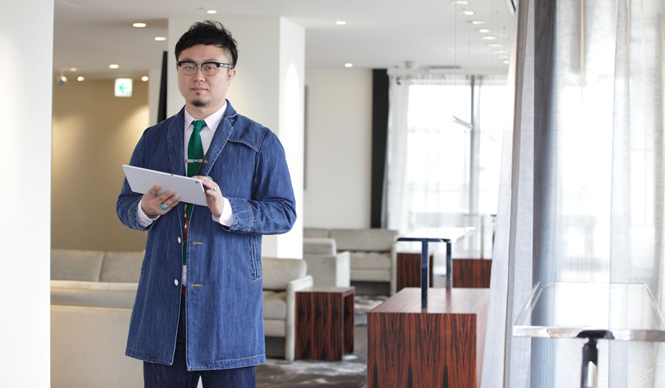
What the Xperia™ Tablet Z enables: A business traveler's unique tablet techniques for frequent trips and parties
NTT docomo | docomo
What You Can Do with Xperia™ Tablet Z | Vol. 2
A Tablet Style for the Traveling Filmmaker
A Tablet Style for Business Professionals Who Travel and Attend Many Parties
Text by TOMIYAMA Eizaburo
Photographs by NORIYO
Quick Proofreading Checks Even While on the Go
I used to do social media and schedule management on my computer, and using my smartphone felt stressful because the screen was too small. With a tablet, the larger screen allows me to operate it like a computer, which suits my style. It fits in a clutch bag, so I can always carry it with me, and for domestic business trips, the tablet alone is sufficient. This Xperia™ Tablet Z is thin and lightweight, making it feel even more casual to carry than a notebook. I'm also looking forward to the accessories, like cases that take advantage of its slim profile, which will surely be released one after another.
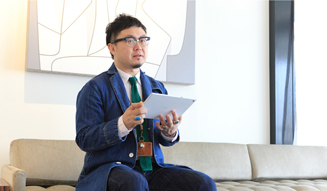
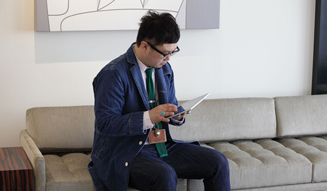
I love planning events, both for work and in my personal life, so I'm always traveling around. However, as a Communications Manager, I often have to quickly review things like seasonal catalogs and proofread text from various publishers. In those situations, it's convenient to be able to check them quickly on my tablet while traveling. I can also save attached documents, which drastically reduces the need to print them out. When you eliminate paper, your luggage gets lighter, and you feel more agile.
Also, it's handy to take photos of guests and colleagues at parties and immediately show them to everyone. With the waterproof Xperia™ Tablet Z, I don't have to worry if a drink spills on it (laughs). It might be an essential feature for someone like me who enjoys lively gatherings. I can use it without worry even when waiting for a taxi in the rain, and even if it doesn't get wet, just having the waterproof feature gives me peace of mind.
For personal use, I like to browse overseas websites. I'm a collector of Native American jewelry and frequently check related sites. When I want to examine intricate designs, I can pinch out to zoom in and look closely, which is definitely superior to a computer in that regard.
After using it, I realized that the Xperia™ Tablet Z's displayis wide, making it feel like watching TV.And what surprised me was the sound quality. I was amazed that it even has a virtual surround system. That's Sony for you. I always bring a small speaker when I stay at hotels on business trips, but with this sound quality, I won't need to anymore.
The display is also beautiful, so I can fully enjoy movies. The design is nice too, so it fits in well as an interior decoration when placed in a room. I can also watch One-Seg (terrestrial digital TV) in my bedroom before sleeping, so I can use it continuously from morning till night.

Mitsuaki NAKANO
Joined Barnaby's Japan in 1996. After working as a salesperson and floor manager for Men's Designers at the Shinjuku store, and then as PR Manager from 2003, he is currently active as the Marketing & Communications Manager. On May 10th, he is scheduled to host "BARNEYS NEW YORK presents NEW YORK DANCE MUSIC PREMIER Vol.2" at Velours in Minami Aoyama.
www.barneys.co.jp
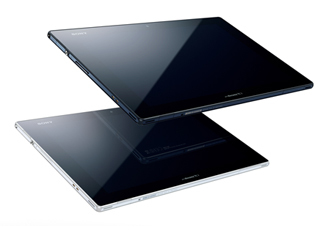
"Xperia™ Tablet Z (SO-03E)"
OS | Android 4.1
External Dimensions & Weight | Approx. H172 x W266 x D6.9mm (thickest part approx. 7.2mm) / Approx. 495g
Display | WUXGA Reality Display, Approx. 10.1 inches, 1920 x 1200 dots
Continuous Standby Time | Approx. 1120 hours (3G stationary), Approx. 930 hours (GSM stationary), Approx. 1020 hours (LTE stationary) *1, 2
Camera | Approx. 8.1 million effective pixels (main camera), Approx. 2.2 million effective pixels (front camera)
Waterproof | IPX5/7 rating
Other Main Features | One-Seg, Bluetooth, Wi-Fi Tethering
*2 The "International Roaming Setting" at the time of purchase is set to "Automatic," which does not require switching between 3G/GSM areas in Japan and overseas. Depending on your usage environment, the continuous standby time may be shorter than with the "3G" setting. If you are only using the device in Japan, we recommend changing the setting to "3G."
NTT docomo
www.nttdocomo.co.jp/product/tablet